AI Services – Enabling AI Content Creation (Sysadmin)
In this article
1 Where to find the setting
2 Available features
3 Data protection
4 External documentation
System administrators can enable an AI service that allows users to generate content within courses. When enabled, any user with permission to create content in a course (or folder within a course) can use the AI service.
1 Where to find the setting
This setting is available to system administrators only.
To enable the AI service:
- Go to Admin > Edit global settings > AI settings
- Use the toggle to turn on AI services on your site
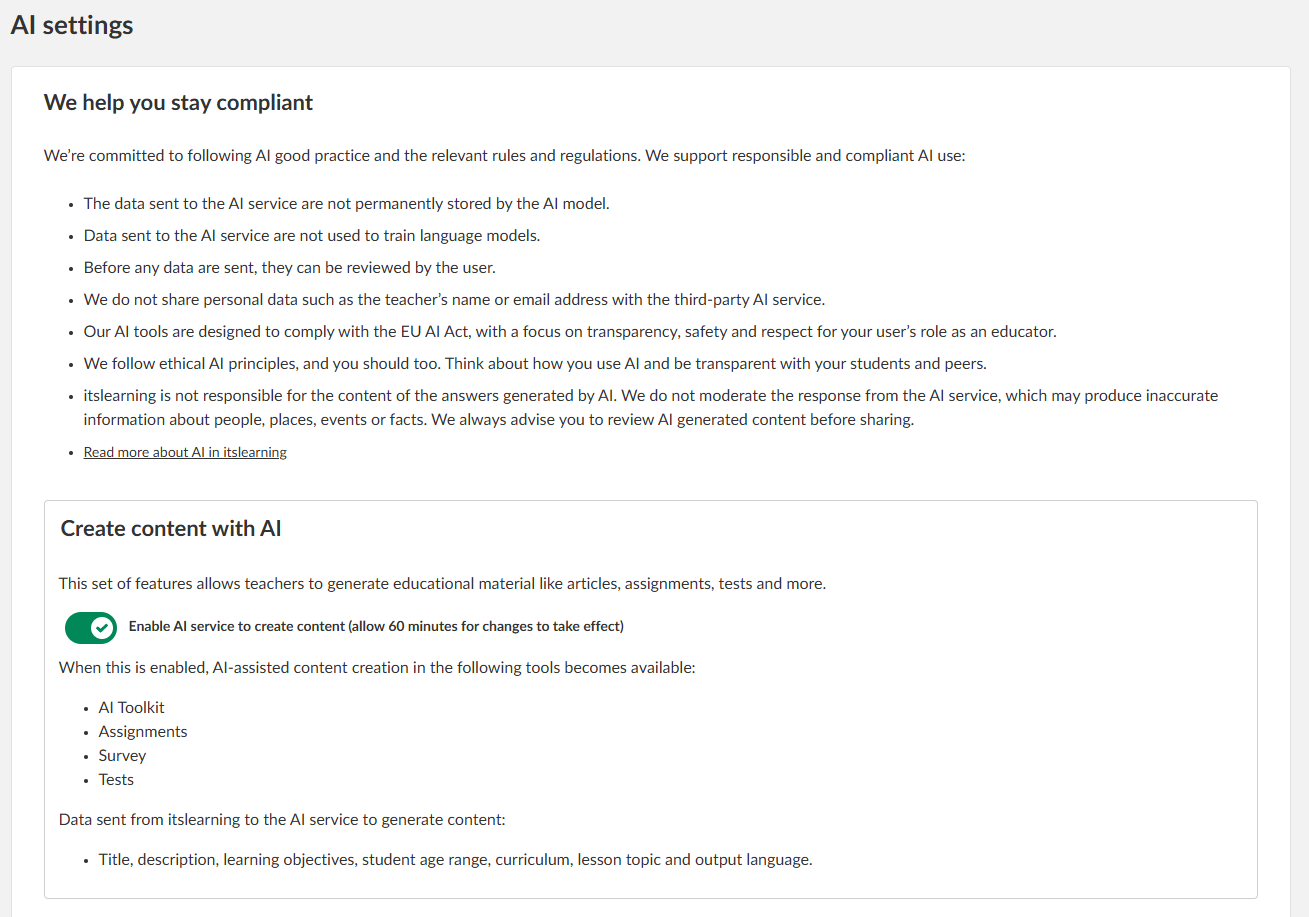
Note: This change may take up to 60 minutes to take effect after you save.
2 Available features
The AI service is currently available in the survey tool. Additional tools are being evaluated and may be added in the future.
3 Data protection
- As of 07.04.2026, itslearning connects to an API service provided by Azure OpenAI, using the GPT-5.4 mini model. This service is hosted within the EU.
- itslearning uses an account owned by itslearning. No personal data (user data or customer data) is transferred to the service for identification purposes or as part of the prompt used to generate content. For this reason, the AI service provider is not added as a data sub-processor.
- The prompt sent to the service is created based on user input (a short text and parameters such as the number of questions to generate). itslearning adds the necessary parameters and information needed to receive a response that can be transformed into the format required by itslearning tools.
- After the initial generation of content, no further information is exchanged with the service. Only the initial request is sent and one response is received.
- Data may be stored for up to 30 days for purposes of abuse monitoring. Data is not used for training models or shared with others in any way.
4 External documentation
The following links open in a new window:
- Microsoft documentation on the GPT-5.4 model
- Microsoft documentation on data, privacy, and security for Azure OpenAI Service
More Help Resources
Have more questions? Please start with asking your school administrator.
Product Release notes
Stay updated with itslearning latest releases: https://itslearning.com/product-updates
Service Status
Check the current status of itslearning services: https://status.itslearning.com/
Ideas Portal
Share your ideas and help shape the future of itslearning: https://ideas.itslearning.com/
Roadmap
Check out our roadmap: https://itslearning.com/global/roadmap/