-
-
- Users and access rights - Reference (Sysadmin)
- Supervisor (Mentor and Headteacher) Roles – Configuration (Sysadmin)
- Workflow
- Hierarchy – Reference (Sysadmin)
- Hierarchy - Roles and Permissions (Sysadmin)
- User Management – Importing Users by CSV (Sysadmin)
- Profile Pictures and Avatars - System Administrator Guide
-
- Setting up the course catalogue (admin)
- Individual Learning Plans – Template Configuration (Sysadmin)
- Courses - Administration - Reference (Sysadmin)
- Projects – Administration (Sysadmin)
- Bookins mangement - Room and Resources - Administrator Guide
- Terms - Manually Managing Terms (Sysadmin)
- Settings for Learning Objective Reports - System Administrator
- Learning Objectives Repository - Sysadmin
- Learning Objective Repository – Importing via XLSX (Sysadmin)
- Trash Can – Overview (Sysadmin)
- Cross site templates - sysadmin
- Attendance system
- Calendar – Managing External Calendars for Organisations (Sysadmin)
-
- Automated integration with a Student Information System
- LTI Integrations
- Single Sign-On - Updating SAML IdP Metadata and Certificates (Sysadmin)
- SIS Integration – IMS Enterprise Import Status Emails (Sysadmin)
- Test Mode Browser (Overview)
- Test Mode Browser – Installing the itslearning LockDown Browser Extension for Chromebooks (Sysadmin)
- Microsoft Cloud Services – Connecting Microsoft 365 to itslearning (Sysadmin)
- MS Team Integration - setup
- Outlook integration - Paid add-on
- Connecting your G Suite domain to itslearning
- Swedish integration- Skola24 – Calendar Integration for Swedish Customers (Sysadmin)
- German integration- Univention UCS@school – Provisioning API (Sysadmin)
- German integration- Univention UCS@school - ID Broker Connector (Sysadmin)
- Univention UCS@school – Itswizard) Connector (Sysadmin)
- Dutch integration: Timetable integration -
- Dutch integrations - Timetable Integration Notification – Assigning Appointments
-
-
- Main menu - Overview (Teacher)
- Login - Getting started
- Navigation - Getting started (Teacher)
- Personal settings - Getting started
- Courses - Getting started (Teacher)
- Plans - Getting started (Teacher)
- Resources and activities - Getting started (Teacher)
- Resources and activities - Overview (Teacher)
- Assignments - Getting started (Teacher)
- Calendar - Getting started (Teacher)
- Messages - Getting started (Teacher)
- Keyboard shortcuts - Overview
- Tests - Getting started (Teacher)
-
- Notification Preferences – Overview (Teacher, Admin)
- Profile Pictures and Avatars – Overview (All users)
- Personal Settings – Overview (All users)
- Product Updates – Release Note Sharing (All users)
- Supervisor Roles – Mentors and Headteachers (Teacher)
- Font Selection – Overview (All users)
- Rich Text Editor – Reference (All users)
- Search – Overview (All users)
-
- Course Focus - Choosing the Right Course Type (Teacher)
- Class Course – Reference (Teacher)
- Self-Paced Courses – Complete Guide
- Information hub course – Overview
- Subject Course settings - Reference (Teacher)
- Course Participants Page (Teacher)
- Course Templates – Reference (Teacher)
- Using the course catalogue (Teacher)
- The permission system - Admin and teacher guide
- Learning Objectives – Reference (Teacher)
- Courses – Student View (Teacher)
- Courses – Archiving (Teacher)
- Course Card Images
- Image selector - Teacher guide
- Course Templates – Cross-Site Templates (Teacher)
- Teacher - Course Import Guide
- Teacher - Course export guide
-
- Resources – Overview (Teacher)
- Resource Page – Reference (Teacher)
- Immersive Reader – Overview (All users)
- Test – Updating from Test 2.0 to Test 3.0 (Teacher)
- Files – Overview (Teacher, Student)
- Files – Saving Course Materials (All users)
- Library – Reference (Teacher)
- Brand Icons – Reference (All users)
- H5P – Upload and Play Content (Teacher)
-
- AI Toolkit – Overview and Getting Started (Teacher)
- AI Toolkit – Prompt Suggestions (Teacher)
- Assignment – Reference (Teacher)
- Tasks – Overview (Teacher)
- Discussions – Reference (Teacher)
- Registrations – Reference (Teacher)
- Learning Paths – Reference (Teacher)
- Tests – Reference (Teacher)
- Survey Tool – Reference (Teacher)
- Page – Create and Manage Content (Teacher)
- Assignment – Combined Assignment and Task Tool (Teacher)
- Assignment – Custom Labels (Teacher)
- SCORM – Importing and Using Content (Teacher)
-
- Reports - Overview (Teacher)
- Assignment Report - Overview (Teacher)
- Progress Report – Reference (Teacher)
- Learning Objectives Alignment Report - Overview (Teacher)
- Learning Objectives Progress Report - Overview (Teacher)
- Attendance – Overview (Teacher)
- 360° Reports – Overview (Teacher)
- 360° Reports – Activity Report (Teacher)
- 360° Reports – Progress Report (Teacher)
- 360° Reports – Grades Report (Teacher)
- 360° Reports – Resources Summary (Teacher)
- 360° Reports – Notifications and Weekly Updates (Teacher)
- Assessment Record / Gradebook - Reference (Teacher)
- ePortfolio – Overview (Teacher)
- ePortfolio – Managing Your Portfolio (Teacher)
-
- LTI tool – adding external tools to a course (2026)
- H5P integration – Creating a Learning Activity in a Plan (Teacher)
- Microsoft Office templates in the Assignment tool
- Google templates in the Assignment tool
- Using MS Teams in itslearning and Fronter 19
- Using Google Meet in itslearning and Fronter 19
- Equation editor - iMathEQ
- Accessibility Checker (Plugin)
- MS Teams Integration
-
-
-
Helpdesk - Overview
TABLE OF CONTENTS
1 Overview
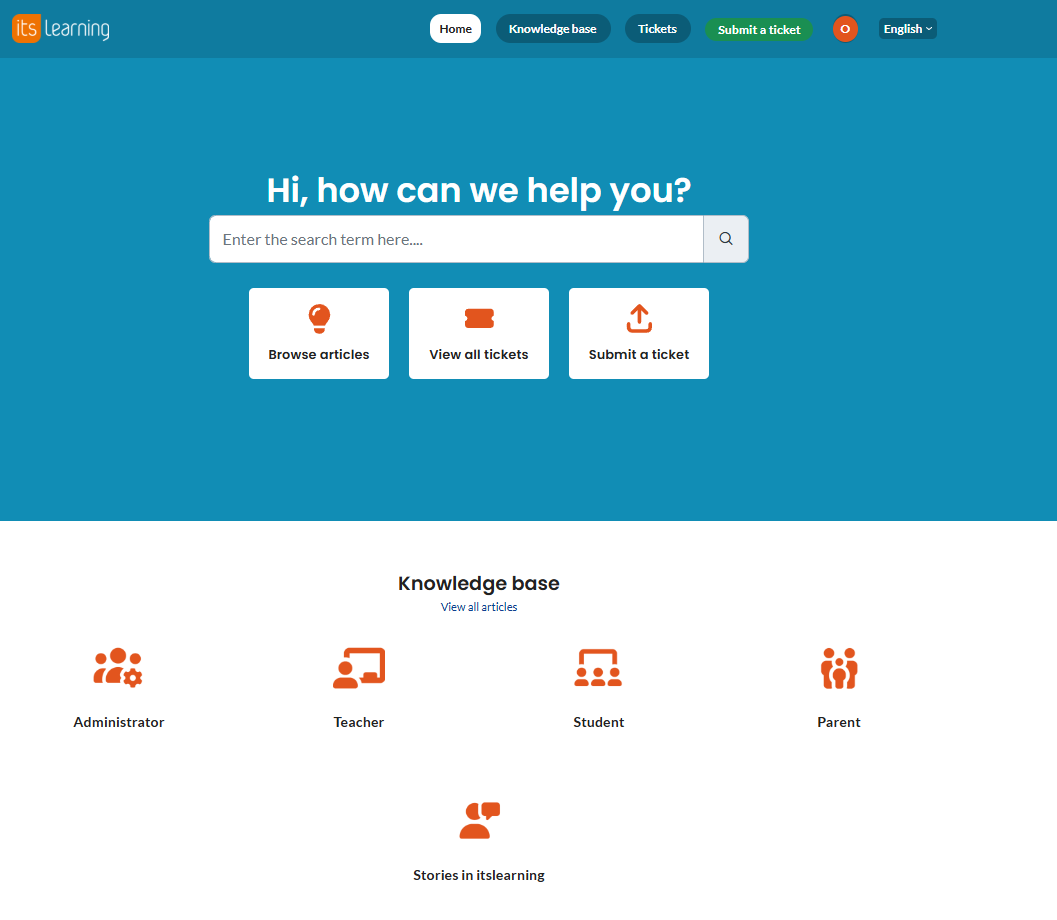
itslearning has consolidated all help content into a single help link. Previous help sources, including WebHelp and earlier Freshdesk links, have been removed and replaced with one entry point located in the profile menu.
This change applies to all user roles. The help link directs users to the itslearning support portal, where articles are maintained and kept up to date.
2 Where to find the help link
The help link is located in the profile menu for all roles. Open your profile menu to access it.
| Teacher profile menu | Student profile menu | Administrator profile menu |
|---|---|---|
 |  |  |
Note: The separate Help setting that previously appeared in some configurations has been removed. The profile menu help link is now the only entry point.
3 Supported languages
The support portal is actively maintained in the following languages: English, German, Swedish, and Dutch. These languages receive regular updates and comprehensive article coverage.
3.1 Language routing
The language of the support portal you are directed to depends on the language you have selected in itslearning:
| Selected language in itslearning | Support portal language |
|---|---|
| English | English |
| German | German |
| Swedish | Swedish |
| Dutch | Dutch |
| Finnish | Finnish |
| Norwegian | Norwegian |
| Any other language | English (default) |
Note: If a specific article is not available in your language, switch to English to access the full range of support content.
More Help Resources
Have more questions? Please start with asking your school administrator.
Product Release notes
Stay updated with itslearning latest releases: https://itslearning.com/product-updates
Service Status
Check the current status of itslearning services: https://status.itslearning.com/
Ideas Portal
Share your ideas and help shape the future of itslearning: https://ideas.itslearning.com/
Roadmap
Check out our roadmap: https://itslearning.com/global/roadmap/