Reports - Overview (Teacher)
TABLE OF CONTENTS
Introduction
The Reports section provides teachers with access to course-level follow-up tools and data reports. Reports are organised into two groups: Follow-up reports for student-level tracking, and Detailed reports for structured overviews of assignments, learning objectives, and course progress.
Prerequisite: The reports available in a course depend on site and course settings. Some reports require activation by a system administrator before they are visible. Contact your administrator if a report described in this article does not appear in your course.
1 Accessing reports
To open the Reports section:
- Open the relevant course.
- Select Reports in the course navigation bar.
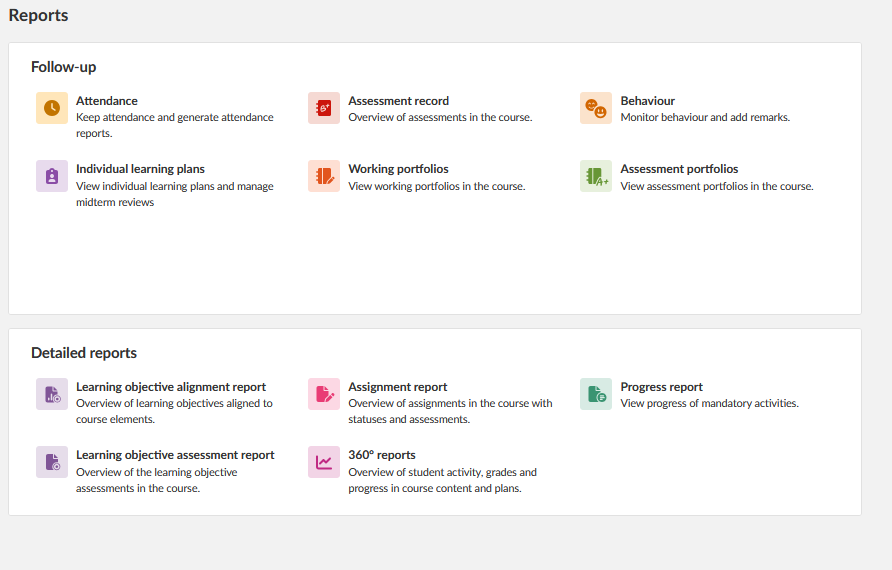
The Reports page displays all available reports as tiles, grouped under Follow-up and Detailed reports. Select a tile to open the corresponding report.
2 Follow-up reports
Follow-up reports provide access to student-level tracking and portfolio tools.
| Report | Description |
|---|---|
| Attendance | Keep attendance and generate attendance reports for the course. Requires activation at both site level and within the course settings. |
| Assessment record | Overview of assessments in the course. |
| Behaviour | Monitor behaviour and add remarks for individual students. Availability depends on site configuration. |
| Individual learning plans | View individual learning plans and manage midterm reviews for students in the course. Requires site-level activation by an administrator. |
| Working portfolios | View working portfolios in the course. |
| Assessment portfolios | View assessment portfolios in the course. |
3 Detailed reports
Detailed reports provide structured data overviews of course assignments, learning objectives, and student progress.
| Report | Description |
|---|---|
| Learning objective alignment report | Overview of learning objectives aligned to course elements, including the number of times each objective has been aligned. |
| Learning objective assessment report | Overview of learning objective assessments in the course. |
| Assignment report | Overview of all assignments in the course, showing submission status and assessment results per student. |
| Progress report | Overview of student progress against mandatory course activities, including task completion status and course completion criteria. |
| 360° reports | Overview of student activity, grades, and progress in course content and plans. |
More Help Resources
Have more questions? Please start with asking your school administrator.
Product Release notes
Stay updated with itslearning latest releases: https://itslearning.com/product-updates
Service Status
Check the current status of itslearning services: https://status.itslearning.com/
Ideas Portal
Share your ideas and help shape the future of itslearning: https://ideas.itslearning.com/
Roadmap
Check out our roadmap: https://itslearning.com/global/roadmap/