Workflow
TABLE OF CONTENTS
Introduction
This article explains how the Workflow page in Administration controls when behaviour and assessment information becomes visible to different roles, and when it is sent to external systems.
1 Overview
The Workflow page in Administration allows you to control when different roles can see assessment-related information at each phase of a workflow, and when that information should be sent to external systems.
Admin setting: Administration > Workflow
The page is divided into tabs, one per workflow area. Each tab contains a sequence of phases. At each phase, you configure:
- which roles can see the information (Learner, Parent, External systems)
- which role is responsible for advancing to the next phase
A phase does not advance automatically. The responsible role must complete a defined action to move to the next phase.
2 Behaviour workflow
The Behaviour tab controls visibility and responsibility for behaviour assessment data at each phase. Use this tab to decide when learners, parents, and external systems can see behaviour information, and at which point in the process.
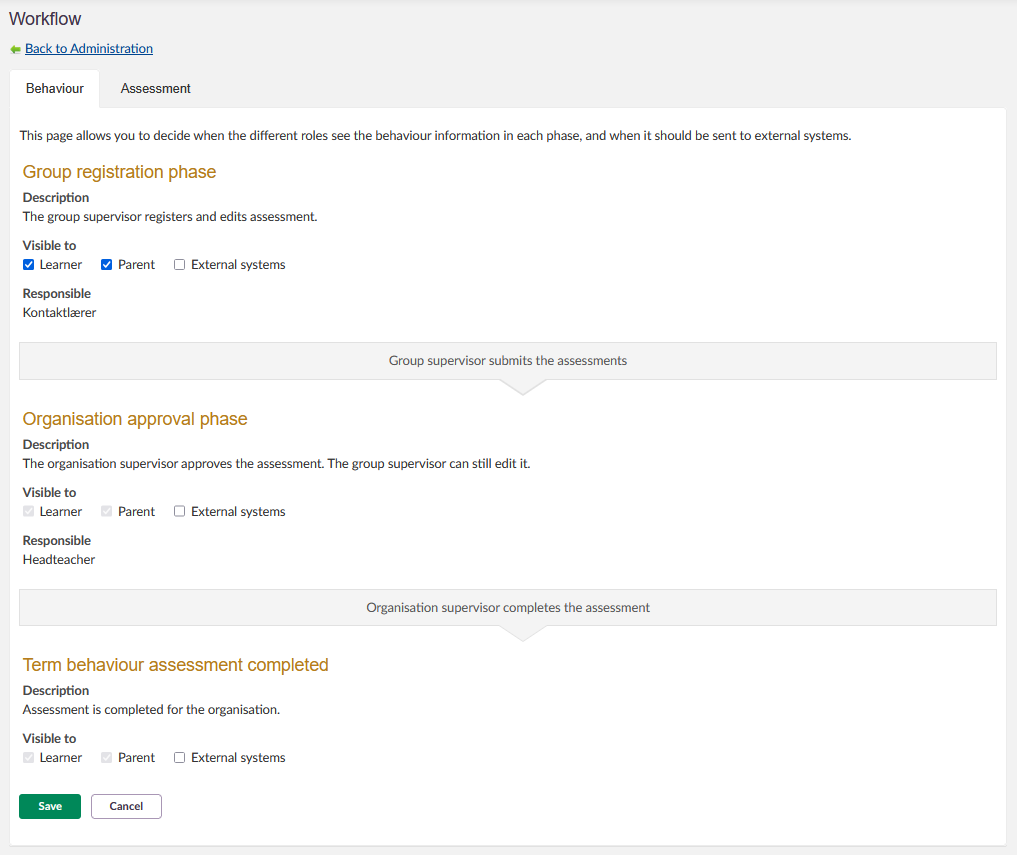
| Phase | Description | Responsible role | Visibility options | Transition action |
|---|---|---|---|---|
| Group registration phase | The group supervisor registers and edits assessment. | Mentor | Learner, Parent, External systems | Group supervisor submits the assessments. |
| Organisation approval phase | The organisation supervisor approves the assessment. The group supervisor can still edit it. | Headteacher | Learner, Parent, External systems | Organisation supervisor completes the assessment. |
| Term behaviour assessment completed | Assessment is completed for the organisation. | — | Learner, Parent, External systems | — |
Note: For each phase, tick the checkboxes next to Learner, Parent, and External systems to make the behaviour information visible to those roles during that phase. If a checkbox is not ticked, those roles cannot see the information until a later phase where it is enabled.
3 Assessment workflow
The Assessment tab controls visibility and responsibility for term assessment data at each phase. The structure follows the same logic as the Behaviour workflow, but the responsible roles and phase names differ.
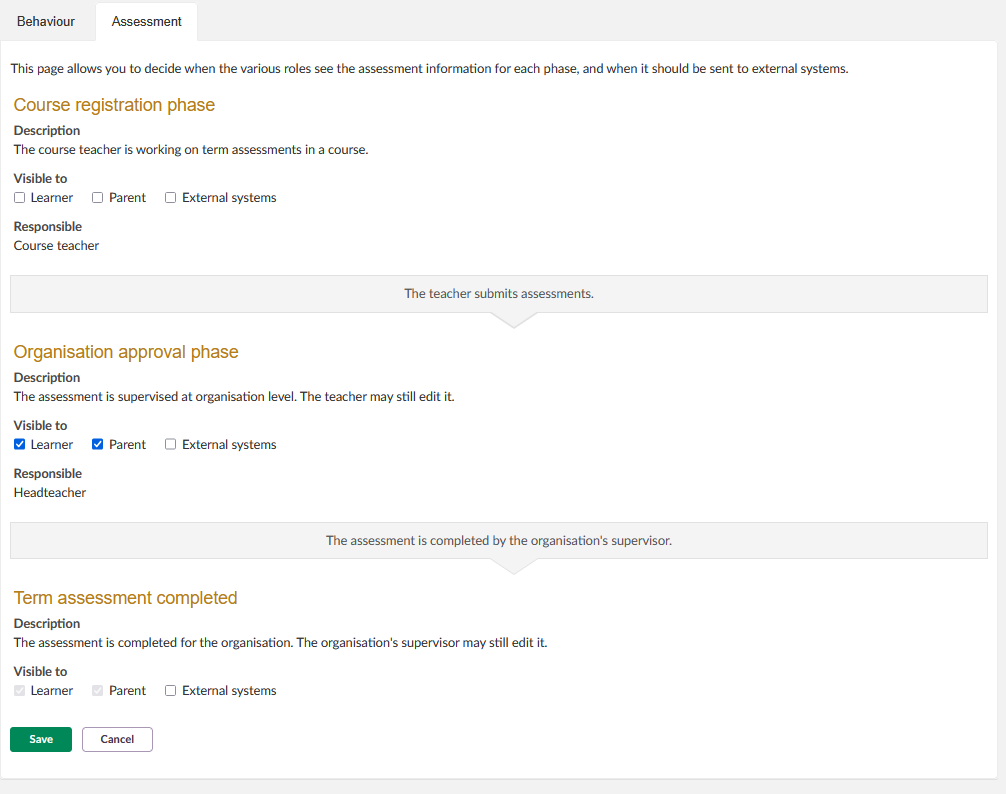
| Phase | Description | Responsible role | Visibility options | Transition action |
|---|---|---|---|---|
| Course registration phase | The course teacher is working on term assessments in a course. | Course teacher | Learner, Parent, External systems | The teacher submits assessments. |
| Organisation approval phase | The assessment is supervised at organisation level. The teacher may still edit it. | Headteacher | Learner, Parent, External systems | The assessment is completed by the organisation's supervisor. |
| Term assessment completed | The assessment is completed for the organisation. The organisation's supervisor may still edit it. | — | Learner, Parent, External systems | — |
Note: For each phase, tick the checkboxes next to Learner, Parent, and External systems to make the assessment information visible to those roles during that phase. If a checkbox is not ticked, those roles cannot see the information until a later phase where it is enabled.
More Help Resources
Product Release notes
Stay updated with itslearning latest releases: https://itslearning.com/product-updates
Service Status
Check the current status of itslearning services: https://status.itslearning.com/
Ideas Portal
Share your ideas and help shape the future of itslearning: https://ideas.itslearning.com/
Roadmap
Check out our roadmap: https://itslearning.com/global/roadmap/